Now you can start inserting your first formula in TexSlide. TexSlide offers two flexible insertion methods—inline and display equations—to meet different typesetting needs.
Environment Notes
In TexSlide, both inline and display equation modes are standard LaTeX environments, not automatic math environments (i.e., they do not automatically add math environment markers like $...$).
| Mode | Available Environments | Description | Example |
|---|---|---|---|
| Inline Equation | Math Environments Only | Must be wrapped in math environments, otherwise it cannot be distinguished from regular text. | ✅ $\text{\LaTeX}$❌ \LaTeX{} |
| Display Equation | Math or Standard LaTeX Environments | Can use both math environments and standard LaTeX commands directly. | ✅ $\text{\LaTeX}$✅ \LaTeX{} |
Inline Equation
Write LaTeX formulas directly in text boxes, where they will blend seamlessly with your text. You can also customize font styles and colors for formulas to better integrate them into your document’s overall design.
Operation Steps
- Click the icon
 (
(Insert Text Box) in the toolbar to insert a text box. - In the text box, write your LaTeX formula using
$...$or\(...\)syntax.
Syntax Example
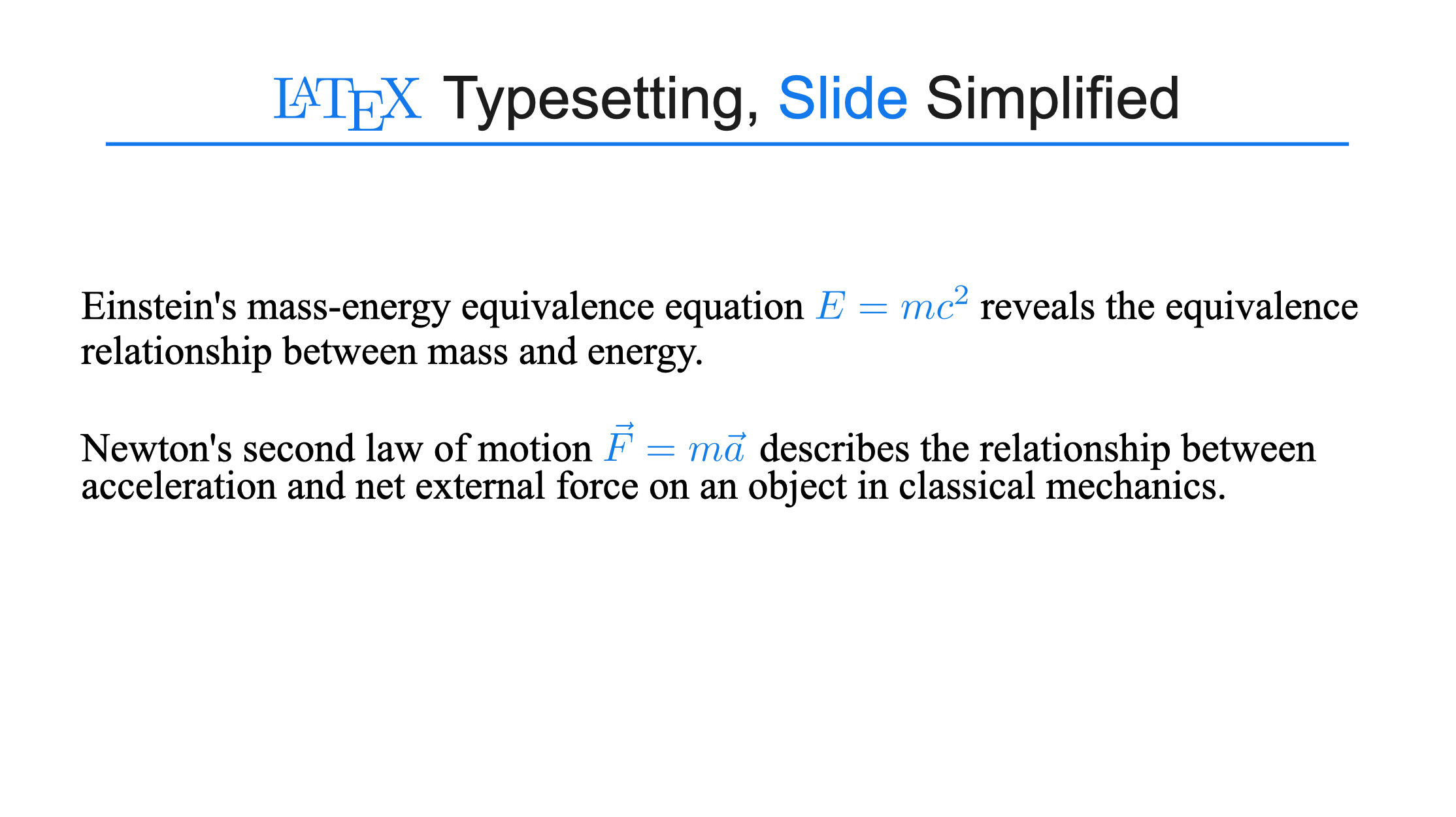
Einstein's mass-energy equivalence equation $E = mc^2$ reveals the equivalence relationship between mass and energy.

Newton's second law of motion \(\vec{F} = m\vec{a}\) describes the relationship between acceleration and net external force on an object in classical mechanics.
Rendered Result
Video Demonstration
Color Definition
In inline formulas, you can directly use standard LaTeX color commands to color specific symbols or expressions.
Operation Steps
Simply use the \color{color_name}{content} or \textcolor{color_name}{content} command within the formula.
Syntax Example
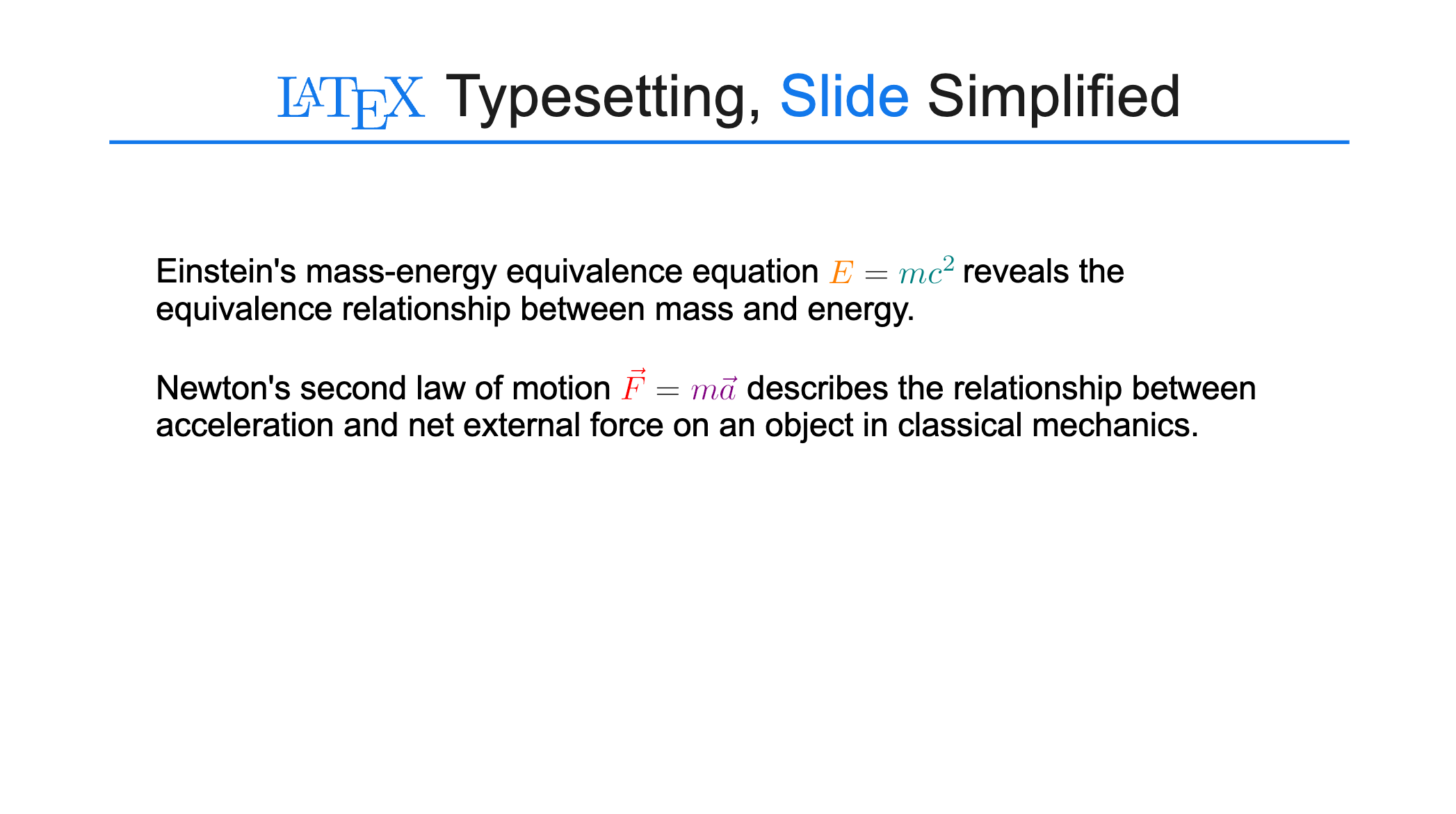
Einstein's mass-energy equivalence equation ${\color{orange}E} = {\color{teal}mc^2}$ reveals the equivalence relationship between mass and energy.

Newton's second law of motion \(\textcolor{red}{\vec{F}} = \textcolor{violet}{m\vec{a}}\) describes the relationship between acceleration and net external force on an object in classical mechanics.
Rendered Result
Display Equation
After writing and compiling formulas in the LaTeX editor, they will be embedded as independent vector graphic blocks in your document. You can set font sizes for formulas (styles such as color can be defined using LaTeX).
Operation Steps
- Click the icon
 (
(Insert LaTeX) in the toolbar to insert a LaTeX text box. - In the LaTeX editor, write your formula using
$$...$$or\[...\].
Syntax Example
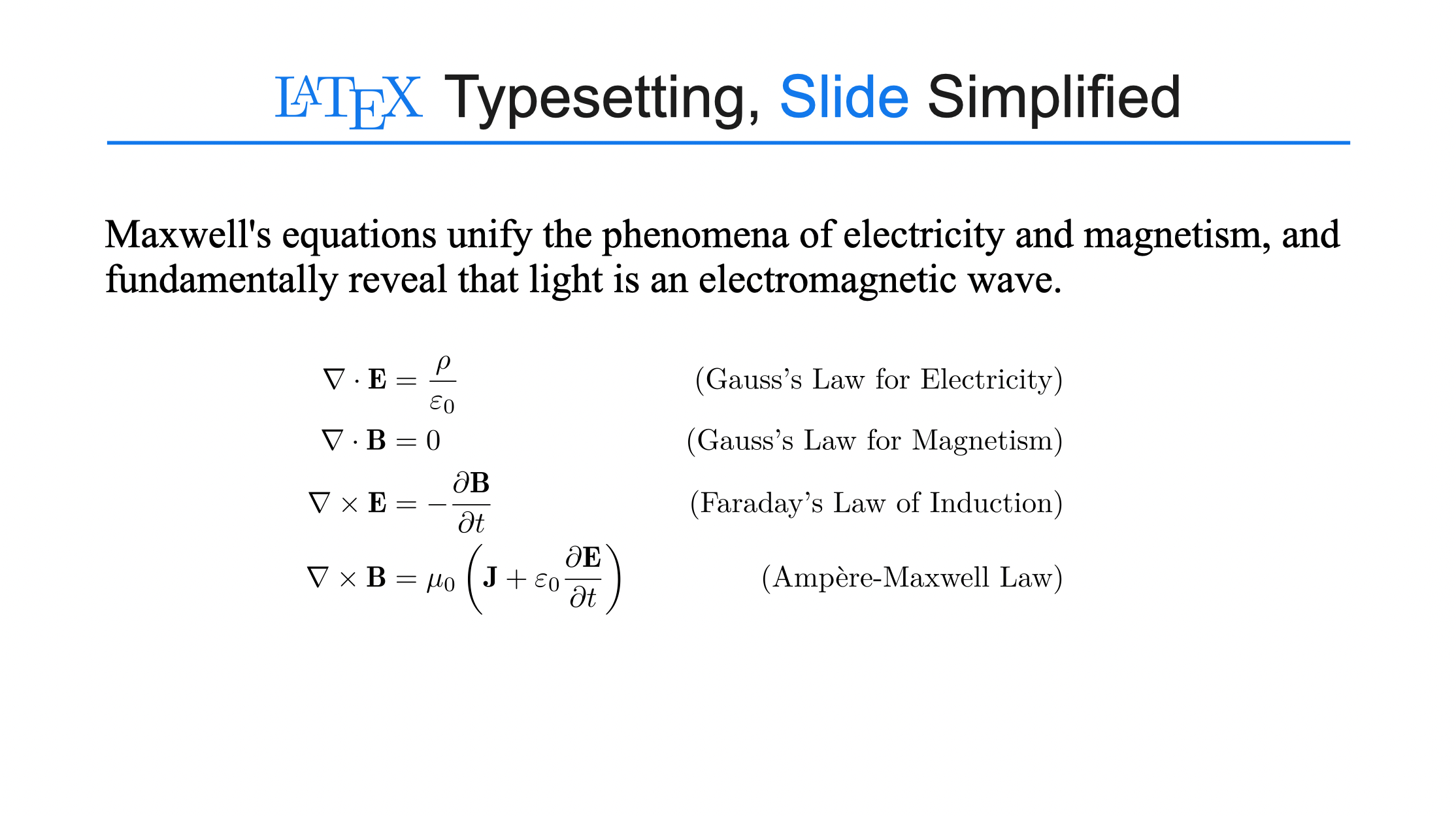
% Maxwell's equations unify the phenomena of electricity and magnetism, and fundamentally reveal that light is an electromagnetic wave.

\[
\begin{aligned}
\nabla \cdot \mathbf{E} &= \frac{\rho}{\varepsilon_0}
\quad &\text{(Gauss's Law for Electricity)} \\
\nabla \cdot \mathbf{B} &= 0
\quad &\text{(Gauss's Law for Magnetism)} \\
\nabla \times \mathbf{E} &= -\frac{\partial \mathbf{B}}{\partial t}
\quad &\text{(Faraday's Law of Induction)} \\
\nabla \times \mathbf{B} &= \mu_0\left(\mathbf{J} + \varepsilon_0\frac{\partial \mathbf{E}}{\partial t}\right)
\quad &\text{(Ampère-Maxwell Law)}
\end{aligned}
\]
Rendered Result