TexSlide 0.9.3 Release
TexSlide 0.9.3 is now available! This update brings two important new features and multiple experience optimizations, making your slide creation more efficient and convenient.
LaTeX Formula Recompilation
To optimize document rendering performance, TexSlide uses a caching mechanism for inline formula compilation results. This means that when you modify font settings, add macro definitions, or adjust other LaTeX global configurations in the preamble, rendered formulas do not automatically trigger updates by default. In previous versions, to make preamble modifications take effect in existing formulas, you typically had to manually clear the cache or force recompilation by modifying characters within formulas (such as adding spaces).
This update adds LaTeX formula recompilation functionality, allowing you to batch re-render formulas so they remain consistent with the current preamble configuration.
How to Use
Execute recompilation operations through the following menu paths:
- Recompile formulas → Current Slide: Recompile all formulas on the current slide only
- Recompile formulas → Entire Presentation: Recompile all formulas throughout the document
Usage Scenarios
1. Modify Global Font Configuration
Change the document font to Beamer-style sans-serif font:
\renewcommand{\familydefault}{\sfdefault} % Set default font to sans-serif
\usepackage{sansmath}                     % Load sans-serif math font package
\sansmath                                 % Activate sans-serif math mode
2. Define or Modify LaTeX Macros
Add new mathematical symbol abbreviations or definitions:
% Define vector symbol display style
\newcommand{\vc}[1]{\mathbf{#1}}
% Define real number set symbol
\newcommand{\R}{\mathbb{R}}
% Define partial derivative shorthand format
\newcommand{\pd}[2]{\frac{\partial #1}{\partial #2}}
PDF Export with Animation Expansion
When creating presentations, adding animation effects can make content presentation more vivid. However, in traditional solutions, exporting slides containing animations to static PDF often requires relying on third-party plugins—such as LibreOffice’s ExpandAnimations or PowerPoint’s PPspliT —which is cumbersome and has limited compatibility.
Now, TexSlide natively integrates animation expansion functionality, making this process much simpler.
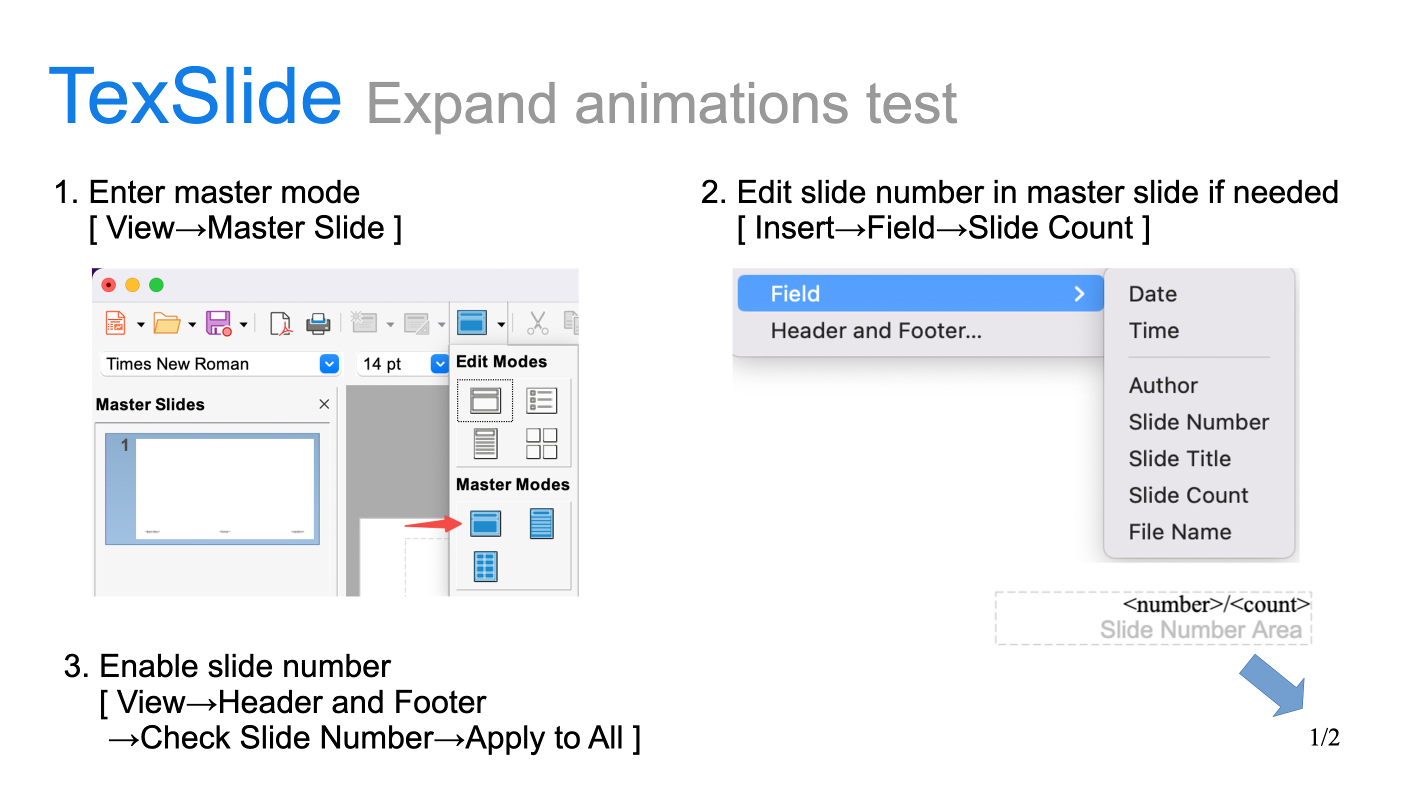
Set page numbers in master slide and apply
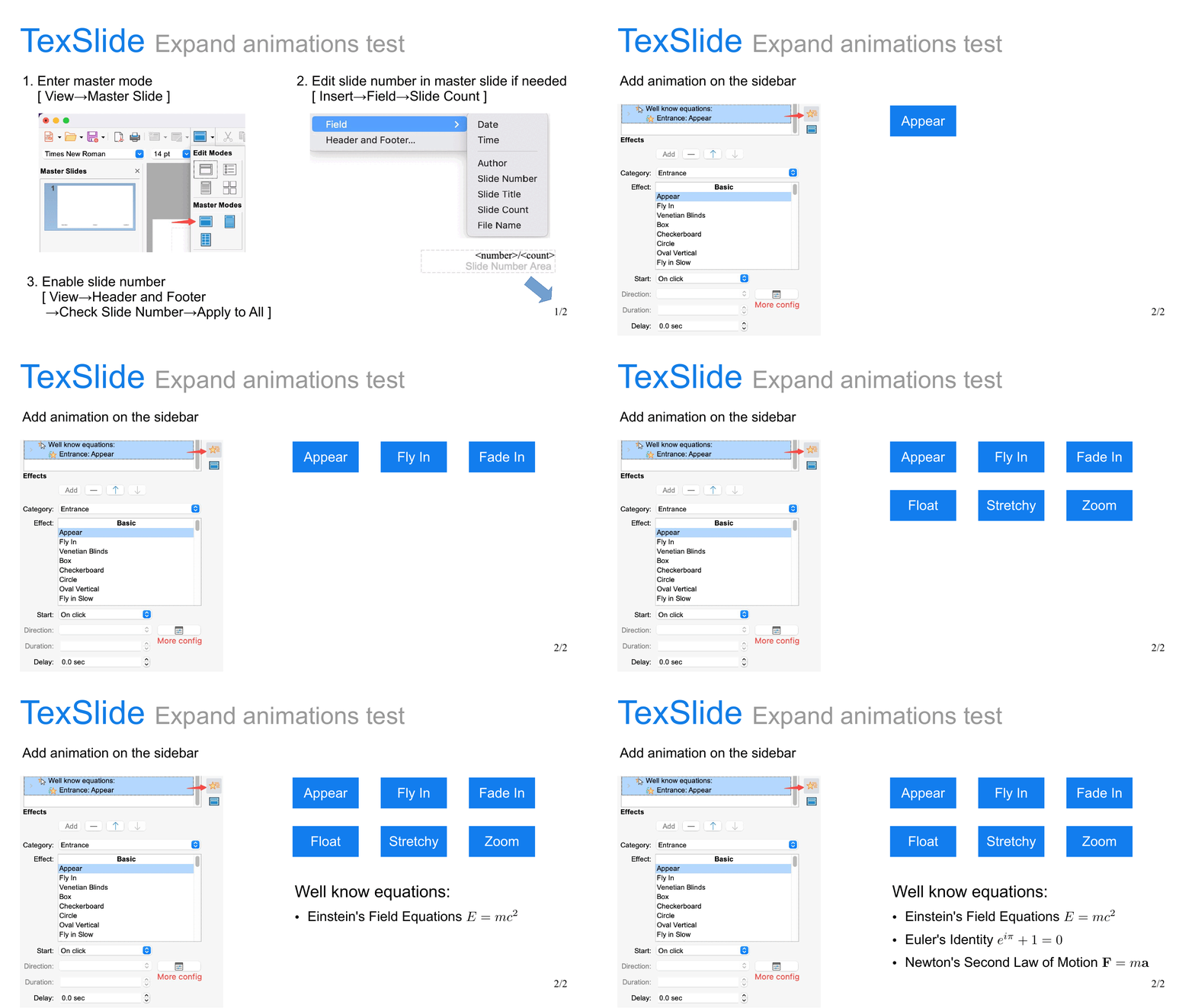
Animation expanded to multi-page PDF
Features
- Automatic Animation Recognition: TexSlide automatically identifies elements containing entrance/exit animations (such as shapes, text, formulas, etc.)
- Smart Multi-page Expansion: When exporting to PDF, slides containing animations are automatically split into multiple pages, fully preserving the presentation rhythm
- Automatic Page Number Adaptation: If slides contain page numbers, TexSlide intelligently handles them to ensure expanded pages maintain continuous and correct numbering
How to Use
Export through the menu bar:
- File → Export As → Export as PDF…: Check the “Expand Animations” option in the dialog
- File → Export As → Export Directly as PDF(Expand Animations): Export directly with animation expansion enabled
Other Improvements and Fixes
This update also includes the following improvements and bug fixes:
macOS Zoom Shortcut Adaptation
This update improves support for zoom operations and horizontal scrolling on macOS:
- Zoom Operation: Use
Command + Mouse Wheelto zoom - Horizontal Scrolling: Use
Shift + Mouse Wheelto scroll horizontally in the document - Touch Bar Support: Touch Bar natively supports horizontal scrolling, vertical scrolling, and zoom operations
Cross-platform Spell Check Compatibility
Fixed compatibility issues with cross-platform spell checking functionality. The spell checking mechanisms for each platform are now as follows:
- Linux and Windows: Uses the Hunspell engine for spell checking
- Linux dictionaries are system-provided
- Windows dictionaries are packaged with TexSlide, currently supporting British English (en_GB) and American English (en_US), based on the aoo-mozilla-en-dict project
- macOS: Uses the system’s built-in spell checking engine
You can set the “Default Languages for Documents” through the status bar to select the spell checking language, or disable spell checking in the status bar.
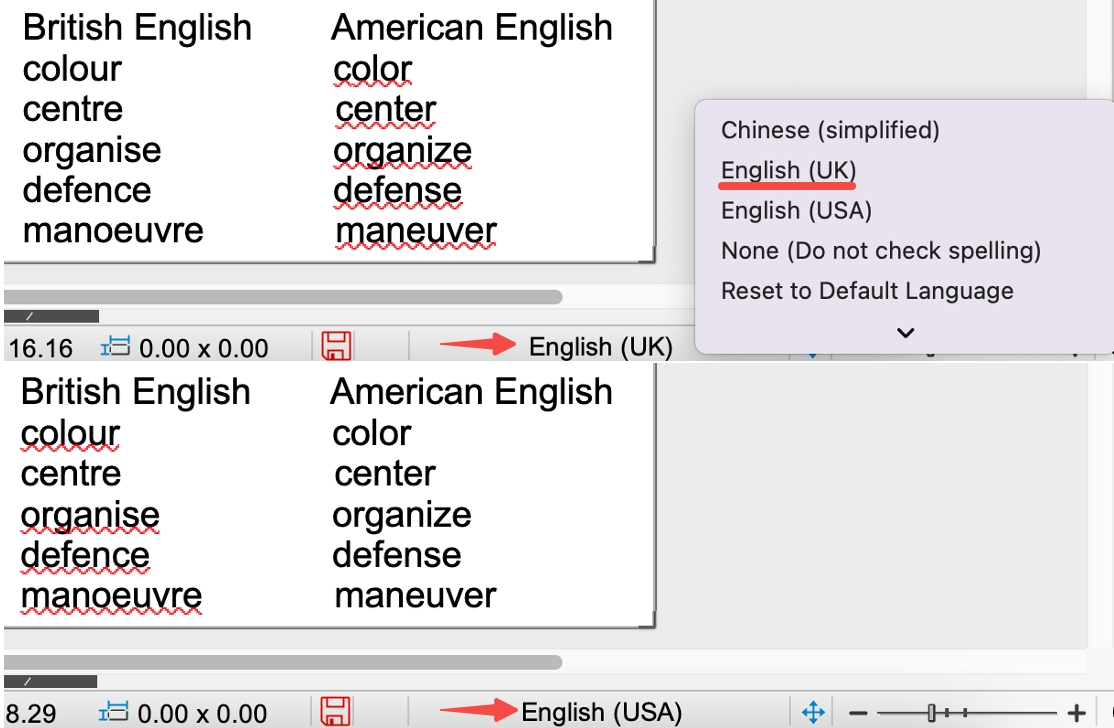
Spell check results example for en_GB and en_US
Other Fixes
- GIF Transparent Background Rendering Optimization: Fixed abnormal display of transparent areas during presentation
- Sidebar Interaction Optimization: Adjusted to “collapsible, non-closable” strategy, retaining quick access capability while preventing accidental closure
- PDF Export Font Encoding Correction: Fixed issues where LaTeX formula content was missing or could not be exported in specific font environments